
August 4, 2026
Connecting NetSuite to Claude, ChatGPT, and Other AI Tools: What You Need to Know About the AI Connector Service
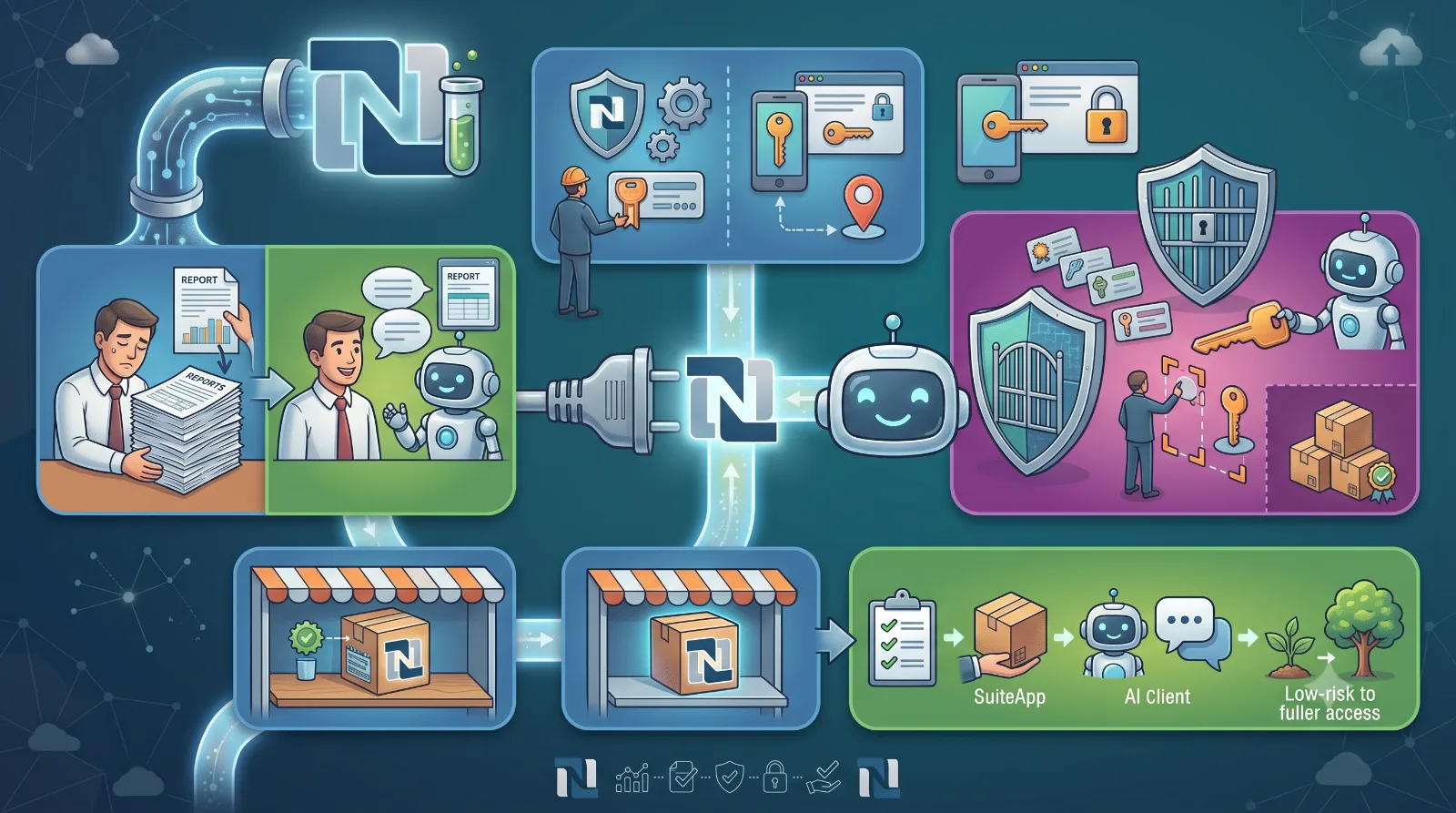
If you've heard people talk about "connecting Claude to NetSuite" or "using ChatGPT with your ERP data," they're almost certainly referring to Oracle NetSuite's AI Connector Service — a native integration built on the Model Context Protocol (MCP), the open standard that lets AI assistants talk directly to business systems.
For NetSuite customers, this connector turns a chat window into a live interface for your ERP. Instead of exporting reports, running saved searches manually, or waiting on a custom integration, authorized users can ask questions in plain language and get answers pulled straight from NetSuite.
What Is the NetSuite AI Connector Service?
The AI Connector Service is Oracle's own MCP server for NetSuite. It's protocol-driven, meaning it isn't tied to one AI vendor — any AI client that supports MCP can plug into it. Today, that includes:
- Claude (Pro and Team plans, using Claude's native connector interface)
- ChatGPT (Plus, Pro, and Business plans, via Developer Mode)
- Any other MCP-compatible AI client that supports the current MCP protocol version, streamable HTTP, and OAuth 2.0 with PKCE
Because the connector speaks an open protocol rather than a proprietary API, NetSuite customers aren't locked into a single AI vendor — the same underlying connection can serve multiple AI tools as your organization's needs evolve.
How It Works, at a High Level
Getting connected involves configuration on both sides:
In NetSuite, an administrator installs the MCP Standard Tools SuiteApp from the SuiteApp Marketplace, enables the required SuiteCloud features (Server SuiteScript, REST Web Services, and OAuth 2.0), and creates a dedicated custom role with only the permissions the AI connection needs — never the Administrator role.
On the AI side, the user adds the NetSuite MCP endpoint URL as a connector, authenticates through an OAuth 2.0 login flow, and selects that custom role at login. NetSuite automatically generates a hidden Integration Record to track the connection.
Once connected, the AI tool can:
- Query data using natural language ("What did this customer buy from us last quarter?")
- Run existing saved searches and reports
- Look up record types, fields, and metadata
- In some configurations, create or update records — governed entirely by the permissions on the connecting role
Why Governance Is the Real Story
The headline feature isn't the chat interface — it's the access control underneath it. NetSuite's role-based security model still governs everything the AI can see or touch. Administrators define the boundaries in advance, so the connector doesn't hand an AI tool unrestricted access to the account; it inherits exactly the permissions of whatever role it's logged in as.
That distinction matters most for regulated or compliance-sensitive environments — including businesses handling serialized inventory, FFL compliance data, or other tightly controlled records — where "AI access" needs to mean "AI access exactly as scoped by an admin," not "AI access to everything."
Where to See It in Action
Once installed, the MCP Standard Tools SuiteApp appears in your account's SuiteApp Marketplace listing page, alongside its permission bundle and setup documentation. If you want to show a customer or colleague what the connector looks like before they set it up, the cleanest visual is a screenshot taken directly from your own NetSuite account's SuiteApp Marketplace page — searching "MCP Standard Tools" from Setup > SuiteApp Marketplace surfaces the listing.
Getting Started
If your organization is evaluating this:
- Confirm your NetSuite edition and role support the required SuiteCloud features.
- Have an administrator install the MCP Standard Tools SuiteApp and build a scoped custom role.
- Pick your AI client — Claude or ChatGPT are the most common starting points — and connect using the account-specific MCP endpoint.
- Start with read-only, low-risk use cases (reporting, lookups) before extending to record creation or updates.
The result is a faster, more conversational way to work with ERP data — without giving up the access controls that make an ERP trustworthy in the first place.
---
*Suggested SEO keywords: NetSuite MCP connector, NetSuite AI Connector Service, Model Context Protocol NetSuite, connect Claude to NetSuite, ChatGPT NetSuite integration, NetSuite AI integration, MCP Standard Tools SuiteApp*